Fintech & banking
Give banks, lenders, telecom operators and verification agencies a mobile way to verify addresses and businesses: offline capture, GPS, photos and signatures, delivered as a ready PDF report in your format.
A field verification report (FVR) is the proof that someone physically visited a customer's address or business and recorded what they found. Banks and lenders use it for residence and office verification, background verification reports (BVR), enhanced due diligence (EDD) and other due diligence reports in credit and account onboarding. Telecom operators and insurers use the same visit for address verification.
FieldReports gives the agent a mobile app for the visit and gives the back office a dashboard to review and approve, so a completed report reaches the customer without re-typing.
| Verification | What the field agent records | Typical requester |
|---|---|---|
| Residence and address verification | Person met, relationship, premises type, locality, occupancy period, address findings, photos and GPS | Banks, NBFCs, telecom operators, insurers |
| Office and business verification (FVR) | Name board sighted, nature of business, premises details, authorised signatory met, customer's reaction, photos | Banks and lenders |
| Background verification report (BVR) | Identity, residence and reference checks, with agent remarks and evidence | Employers, banks, verification agencies |
| Enhanced due diligence (EDD) visits | Premises inspection, signatory meeting and findings against the institution's EDD checklist | Banks and financial institutions |
| Document collection with proof | Documents collected from the customer, with photo, time, location and acknowledgement | Banks, telecom operators |
| Cheque collection and doorstep banking | Proof of delivery and authenticity for cheques and other doorstep services | Banks |
The bank or lender sends the cases, FieldReports gets them verified on the ground, and the completed reports come back in the bank's own format. Forms and PDF layouts are customised for each customer.
Cases arrive as an Excel file or through an API, with the customer details and the verification required.
The back office assigns each case to an agent, who gets it on their phone as a push notification.
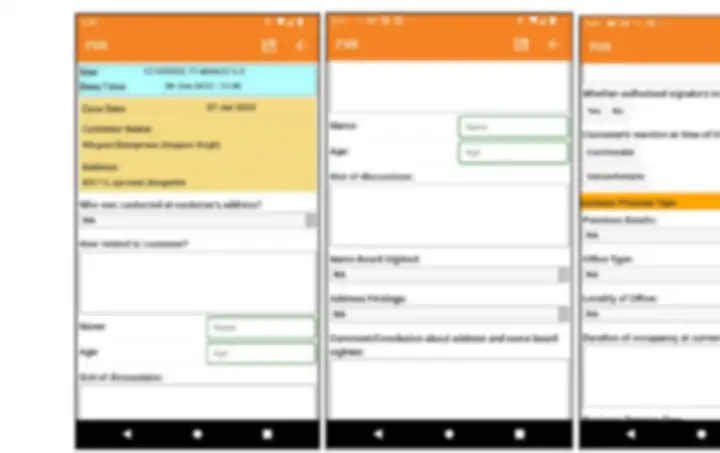
Offline mobile form in your format, with GPS, photos and signatures. No signal needed.
Reports are checked, edited if needed and approved from the dashboard.
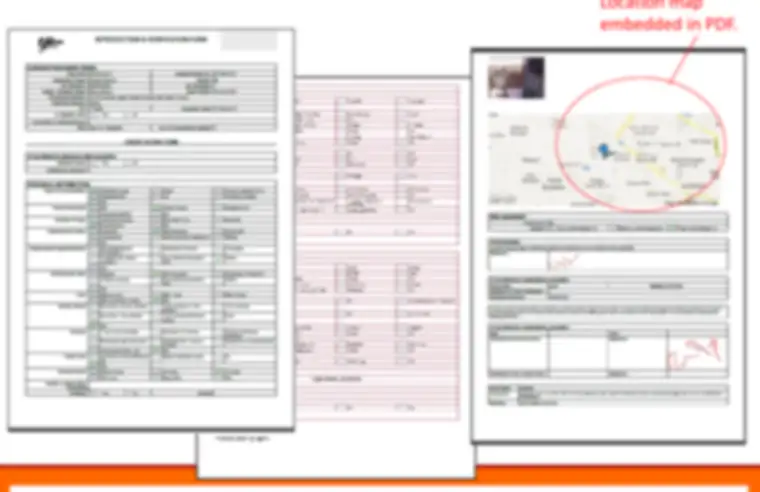
Completed PDF reports go back to the bank with an Excel summary of the batch, or through an API.
A field verification report is the record of a visit to a customer's home or business, made by a field agent to confirm the details given to a bank, lender or telecom operator. It captures who was met, how they are related to the customer, the premises and locality, whether a name board was sighted and the agent's findings, with GPS location, time, photos and signatures.
A background verification report checks a person's background, for example residence, employment or reference details, usually by an in-person visit or call. An FVR focuses on verifying the address or premises. FieldReports uses the same mobile app and PDF output for both, with a form tailored to each requester.
EDD means enhanced due diligence: deeper checks on higher-risk customers or accounts. The in-person part, such as visiting the business premises, meeting the signatory and photographing the site, can be captured in FieldReports and delivered as a time-stamped PDF. FieldReports records the evidence; your institution decides the outcome.
Yes. Agents receive cases on their phone, complete the verification offline, including photos and signatures, and the report uploads when the network returns.
Yes. Data capture forms and PDF layouts are customised to each customer's format. Cases can be supplied in Excel, results are returned as PDF reports with an Excel summary, and APIs are available for integration with third-party apps and dashboards.
Bizframe follows an isolated, de-identified data storage policy, and FieldReports can run as managed software or as a private deployment in your own AWS account. See data ownership and security.
Share your current FVR or BVR format and we will set up a pilot your agents can try this week.